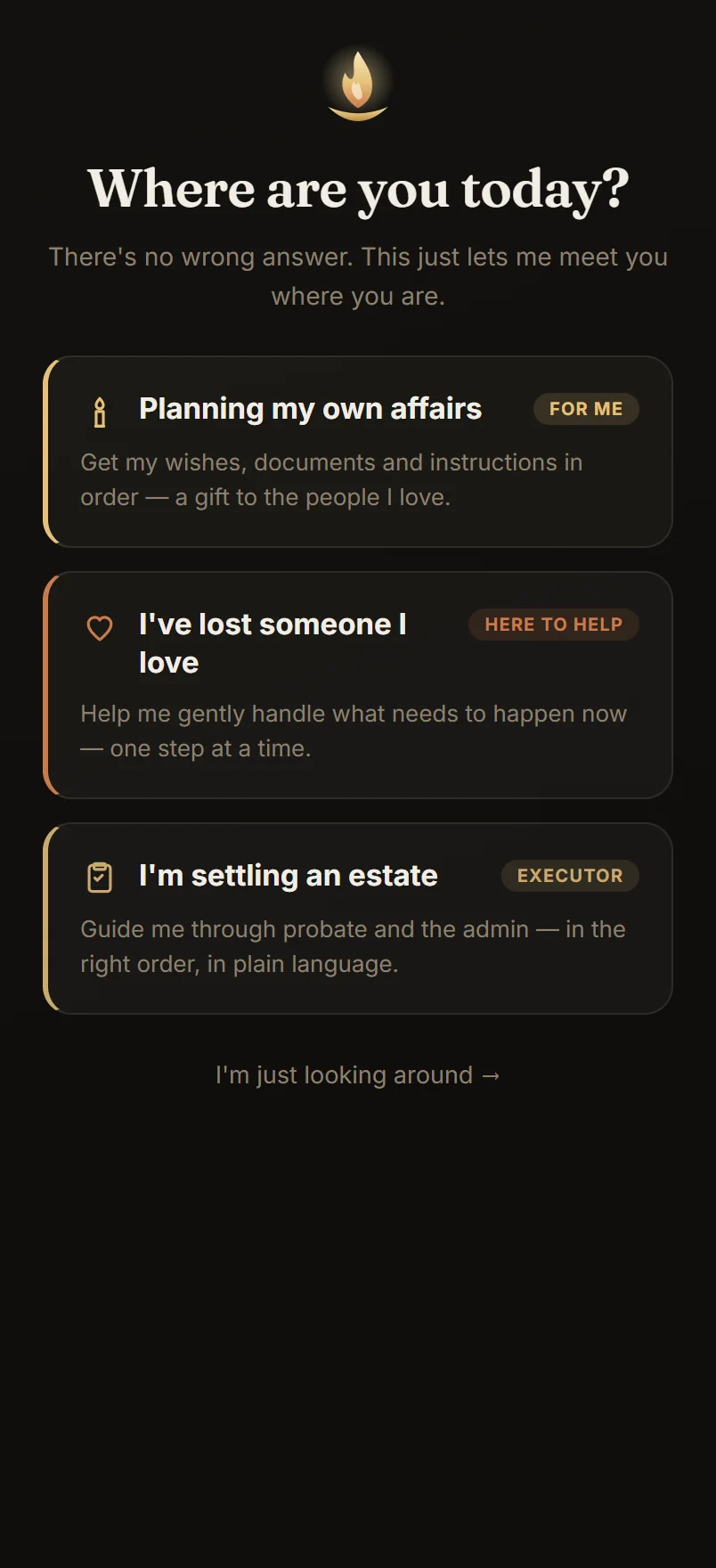
Three journeys, one gentle start
Onboarding takes two quiet minutes — one question at a time, never a form. Tell Solace whether you're planning your own affairs, grieving someone you love, or settling an estate, and the whole app reshapes around your answer from the very first screen.
- Each journey gets its own path — its own questions, pace, and first steps
- Be guided step by step, or explore on your own — switch anytime
- No account, no email — everything stays on your device until you say otherwise
Everything at a glance
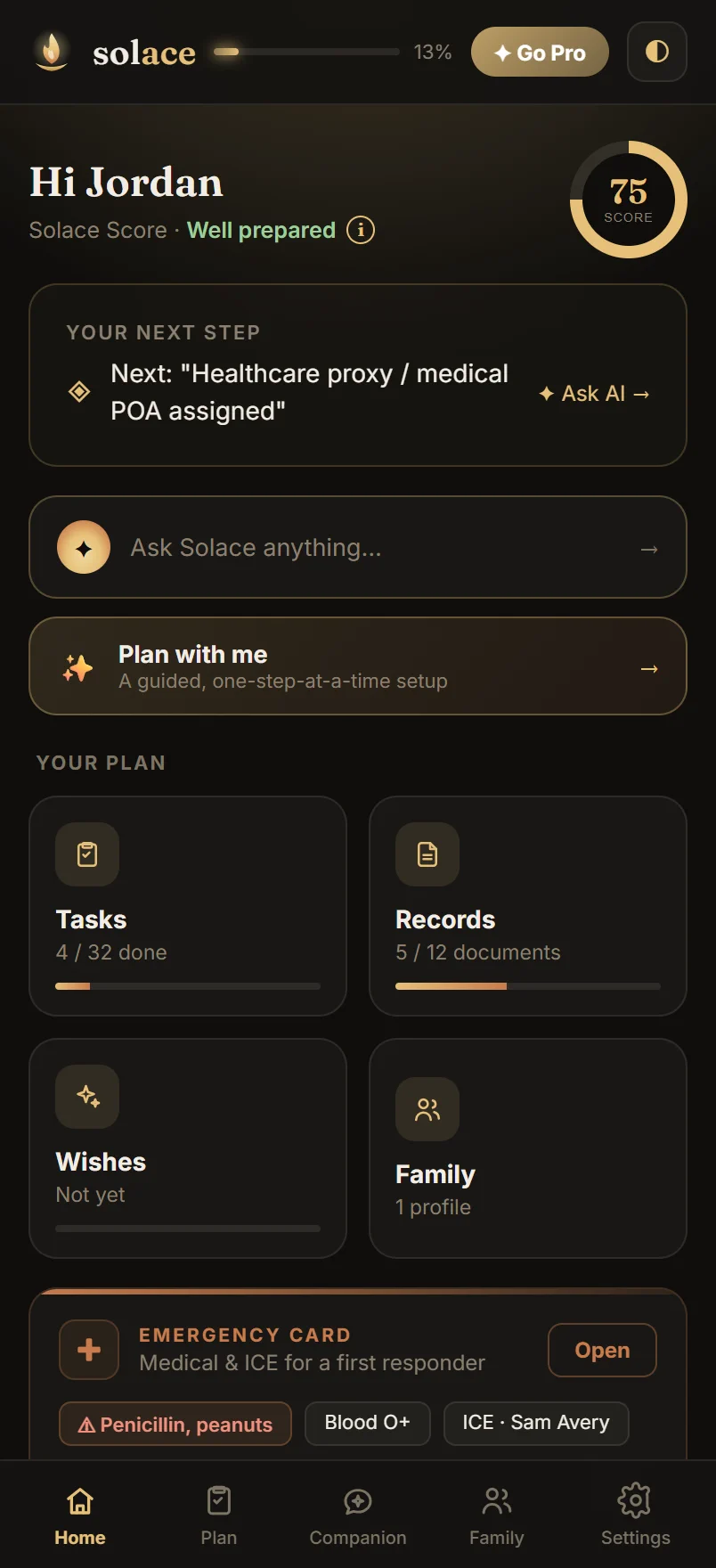
Your home is a calm dashboard, not a wall of to-dos. Your Solace Score shows at a glance how ready your plan is — weighted toward the things that most ease your family's burden — and a single Continue card always points to your next step, so you never have to wonder where to start.
- Your Solace Score (0–100) with a gentle band — Getting started to Fully prepared — tap it for what's in place and what to do next
- One clear next action, with the reason it matters
- An Ask Solace bar — your AI companion, one tap away
- A snapshot grid that jumps you into any part of your plan
All your planning, in one place
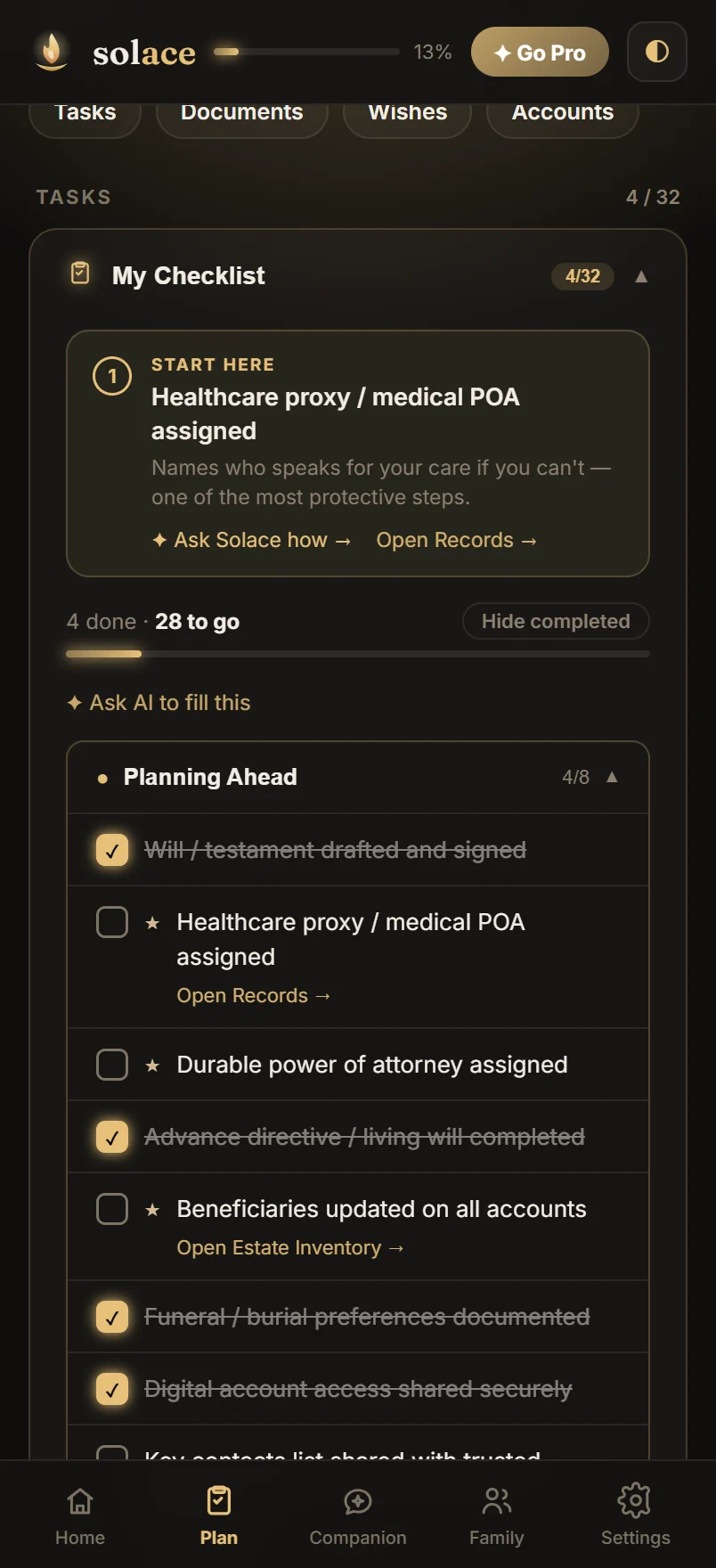
The Plan tab gathers everything that needs organizing, grouped so it never feels overwhelming — with a start-here that always points to the step that matters most right now.
- A guided checklist with the essentials flagged and a clear next step — for planning ahead, or settling an estate with the Executor Assistant's prioritized, deadline-aware plan
- Executor guidance that knows your state's rules — small-estate thresholds, probate paths, deadlines — each rule reviewer-verified against the statute, with sources, rolling out state by state
- Documents & records in an end-to-end encrypted vault — with NotaryNow flagging what still needs notarizing to be valid
- Estate & asset inventory, and digital accounts
- A Wishes track to capture your wishes gently, in your own words — plus letters, customs & crisis notes
An AI companion, in your corner
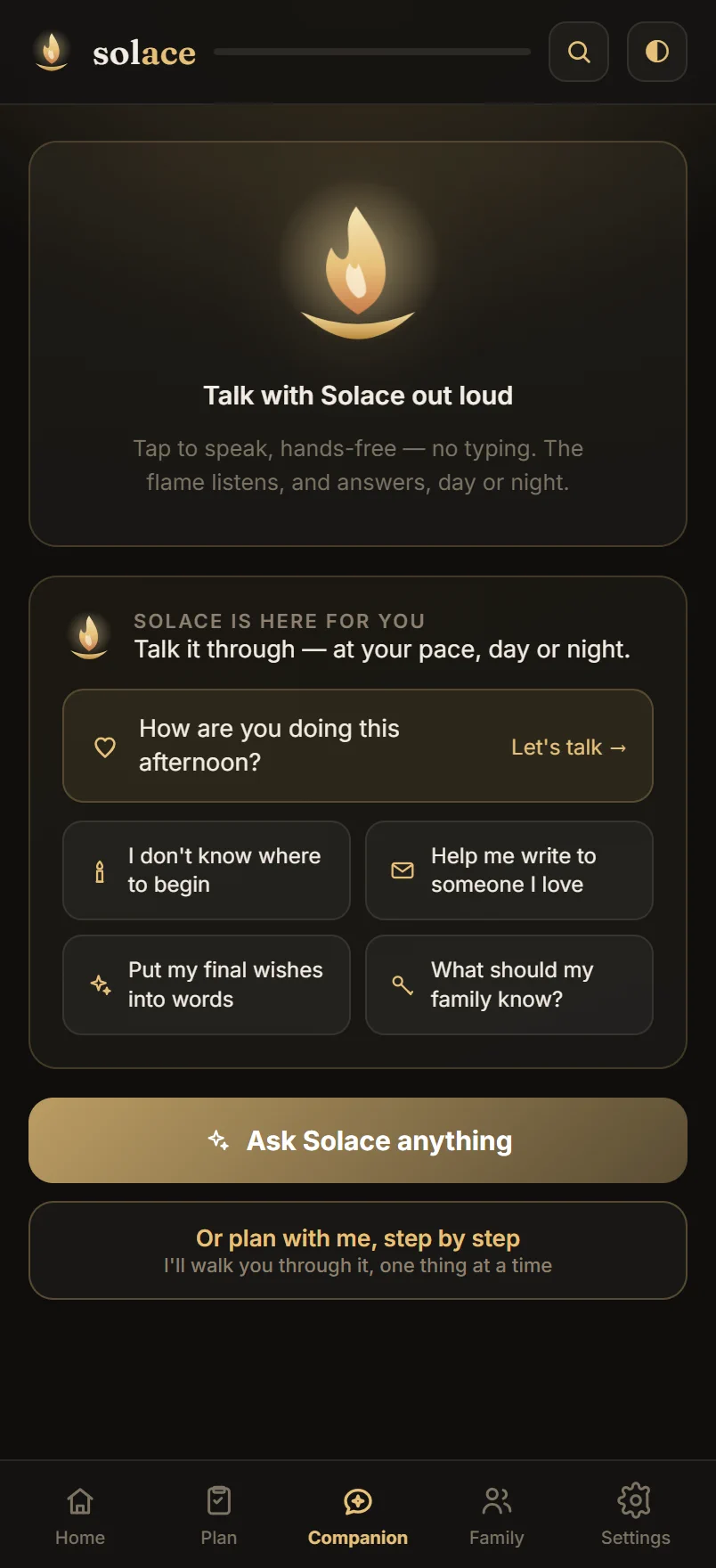
Solace's companion meets you where you are. It opens with a gentle check-in and offers guided prompts for the moments that are hard to start — then drafts, organizes, and explains, at your pace.
- Warm, judgment-free check-ins — greetings that adapt to the hour, and to how long you've been away
- Guided prompts: tell the family, write the obituary, get organized
- Understands the context of your plan and your loved one — and keeps its own gentle memory across conversations, so you never re-explain
- Powered by Claude — Opus on Pro, always private
Talk with Solace out loud
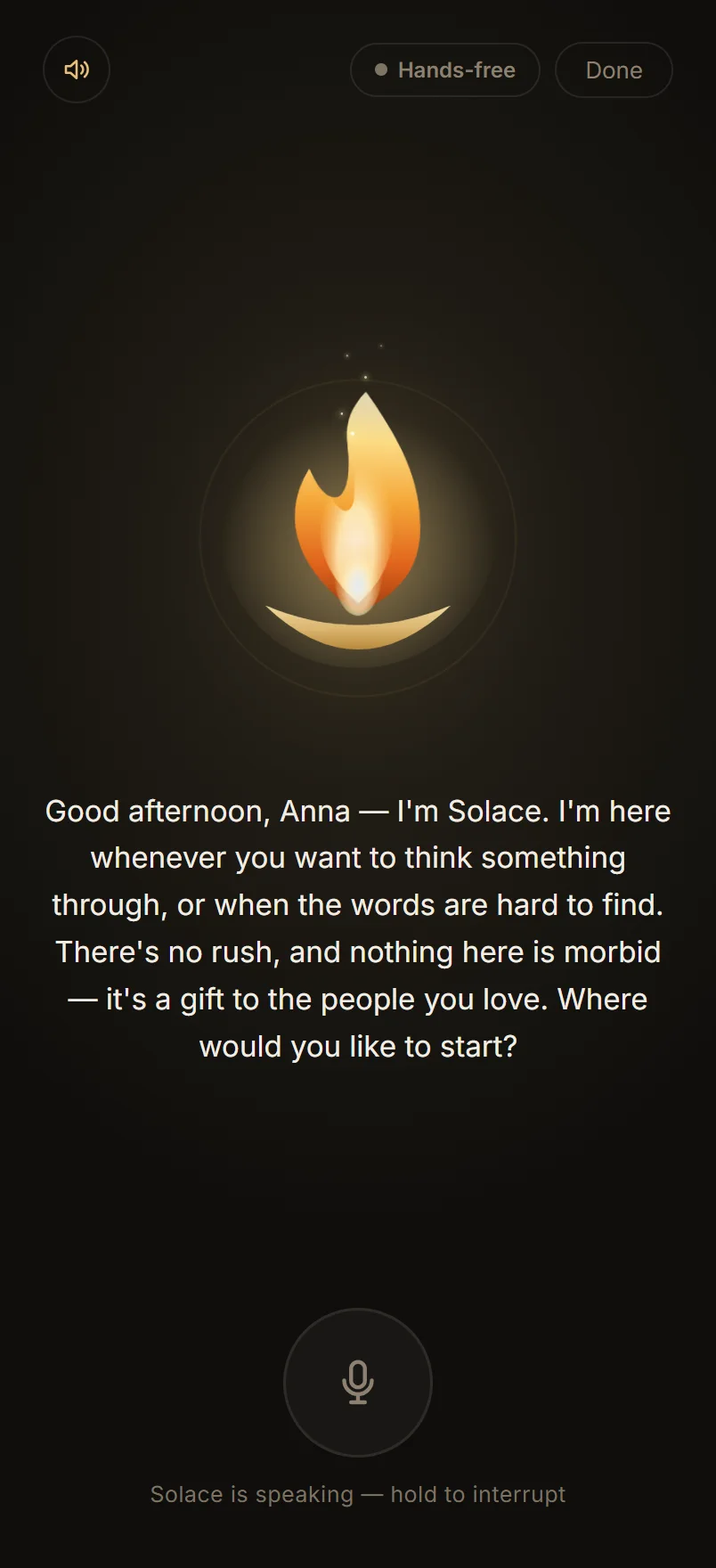
For the moments when typing is too much, Solace speaks. A living candle flame is her presence — it sways at rest, leans in while you talk, and swells with her voice as she answers.
- Press to talk — hold the mic, speak, release; she answers out loud
- Hands-free conversation — she listens when you pause, replies, then listens again
- Choose the voice that feels right: Bella (warm), Bill (steady), or River (calm) — premium voices on Pro & trial
- Day or night — the greeting softens late at night, and she remembers where you left off
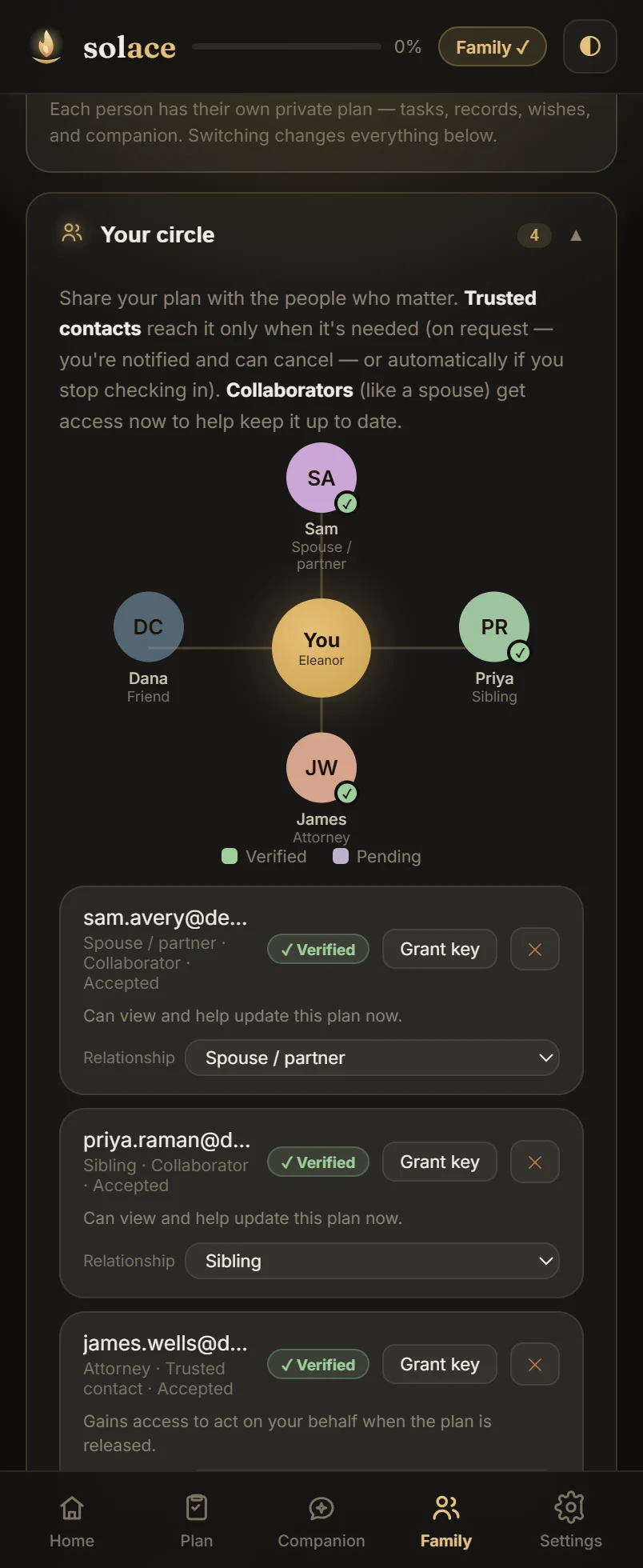
Your circle — verified, with clear roles
Build a verified circle of the people who matter, each with a relationship and exactly the access you choose — now, or safely after you're gone. Solace keeps a clear record of who can see what.
- See your circle and shared with me, with verification badges — Invited → Joined → Verified
- Set each person's relationship and role — deputy or collaborator
- A check-in and safe, accountable posthumous release keep access in your hands
- An activity log of every access and change
Six themes & a Calm mode
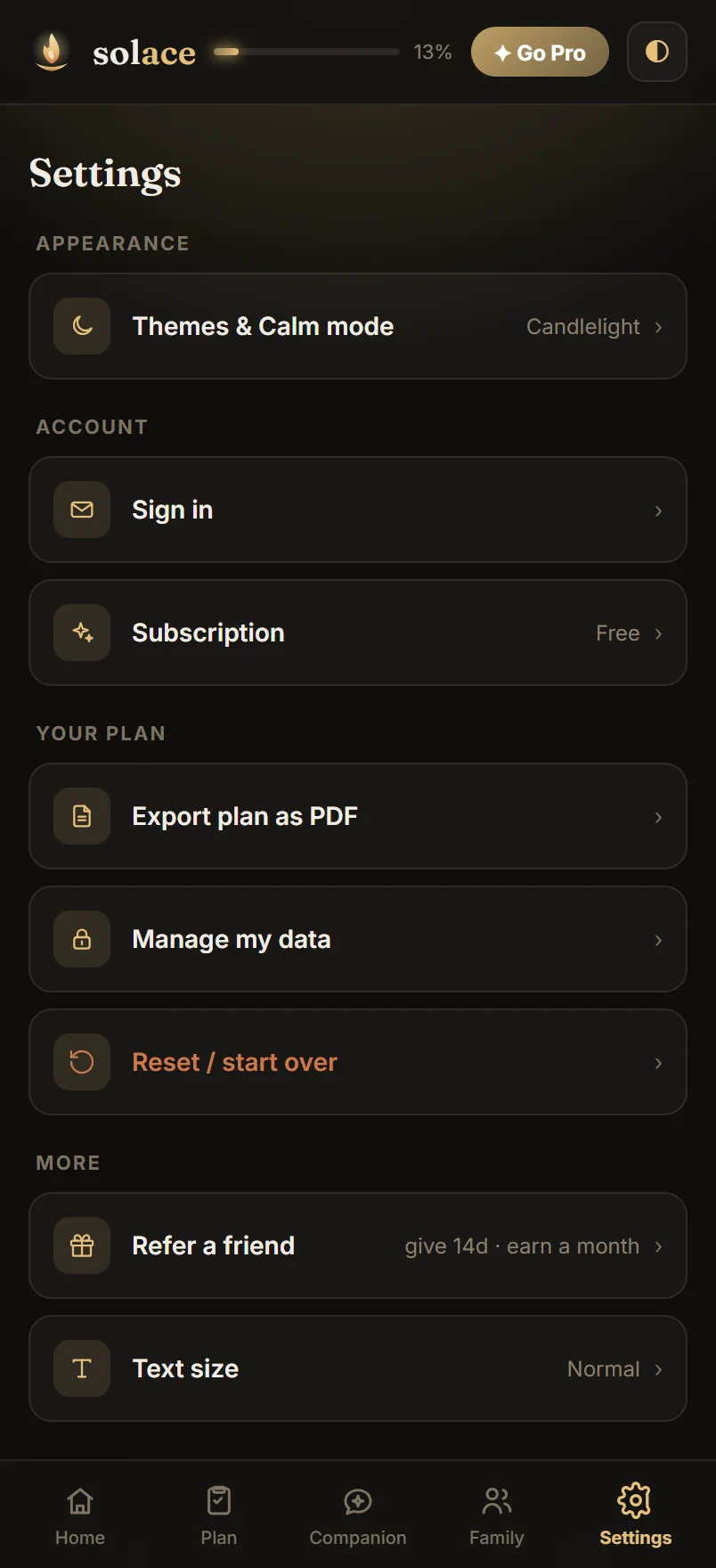
Tap ◐ in the header (or open Settings) for Appearance — six palettes, four warm-dark and two light, plus a Calm mode that strips Home down to a flame, your progress, and one gentle step for the hardest days.
the default
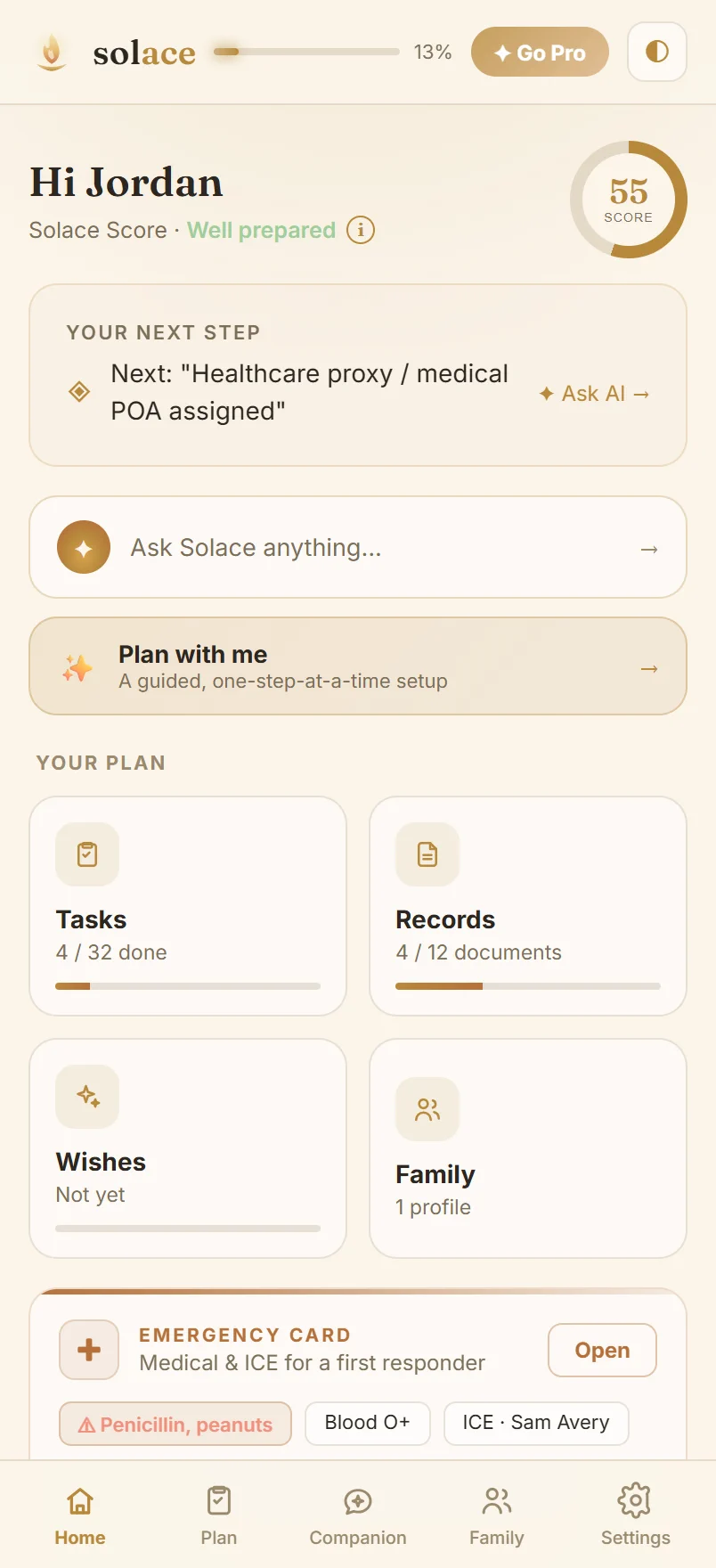
a daytime light theme
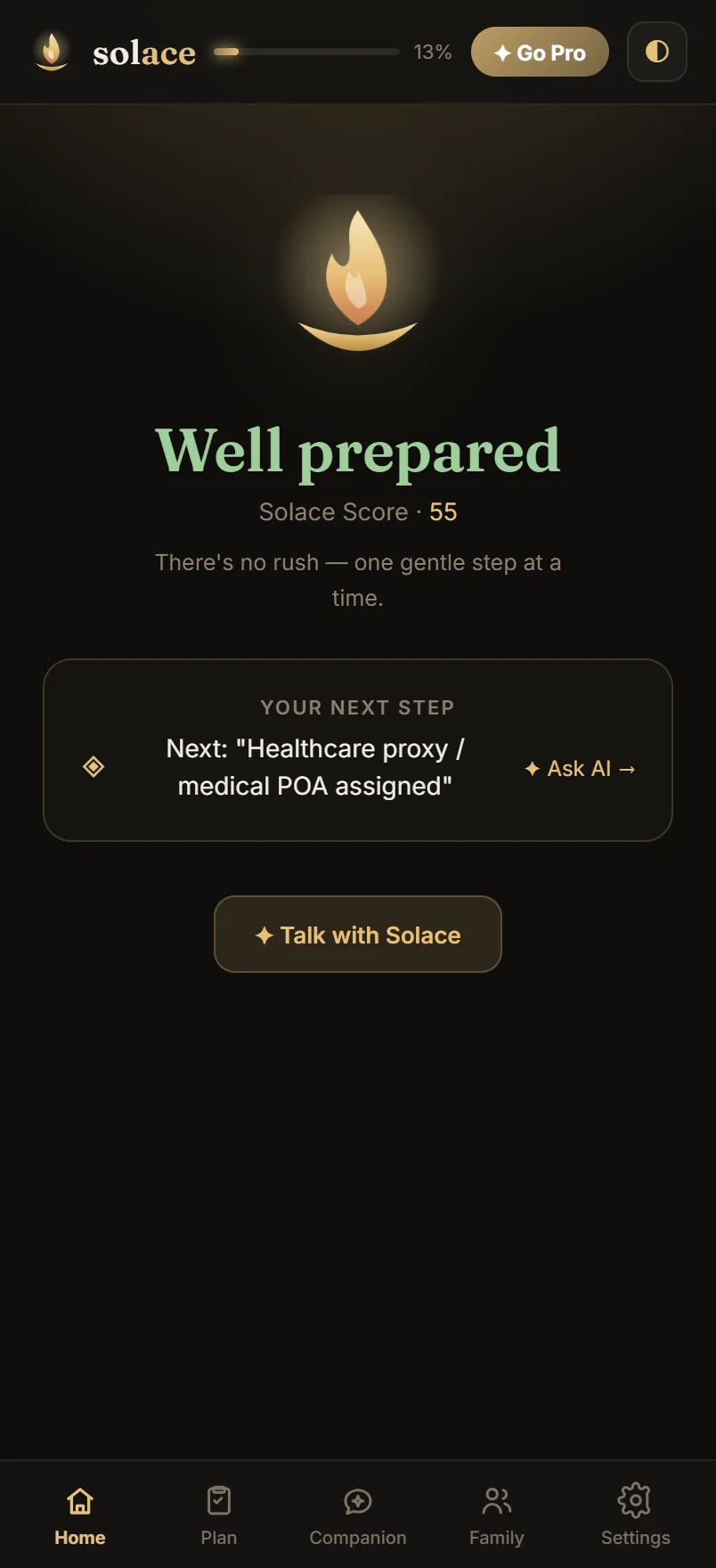
quiet & minimal
Yours, and private by design
Manage your account and subscription, export your whole plan as a PDF, and stay in control of your data. Solace works locally without an account; when you sign in, your data syncs over an encrypted connection — and your most personal items — documents, account numbers, personal letters, contact notes, wishes and crisis notes — are end-to-end encrypted, so only you can read them.
- Appearance, account & subscription in one place
- Export your plan as a PDF anytime
- Refer a friend — give 14 days, earn a free month
- Delete your data whenever you choose
The hard parts, handled with care
Two safeguards do the quiet work behind the scenes — so the people you love aren't locked out if something happens to you, and a forgotten passphrase never means losing everything.
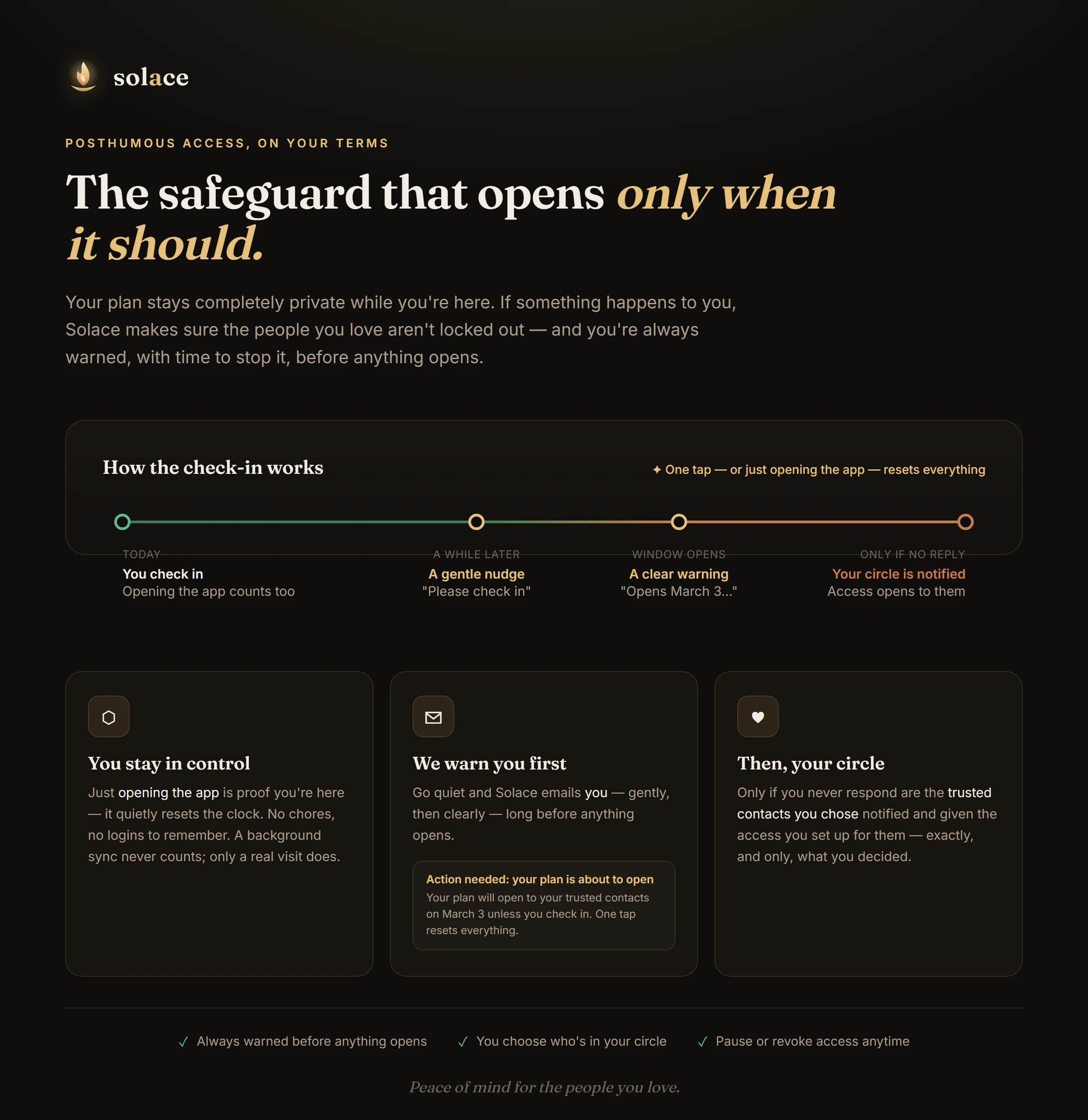
A release that opens only when it should. Your plan stays private while you're here. Go quiet and Solace warns you first — with time to stop it in one tap — before your trusted circle is ever notified.
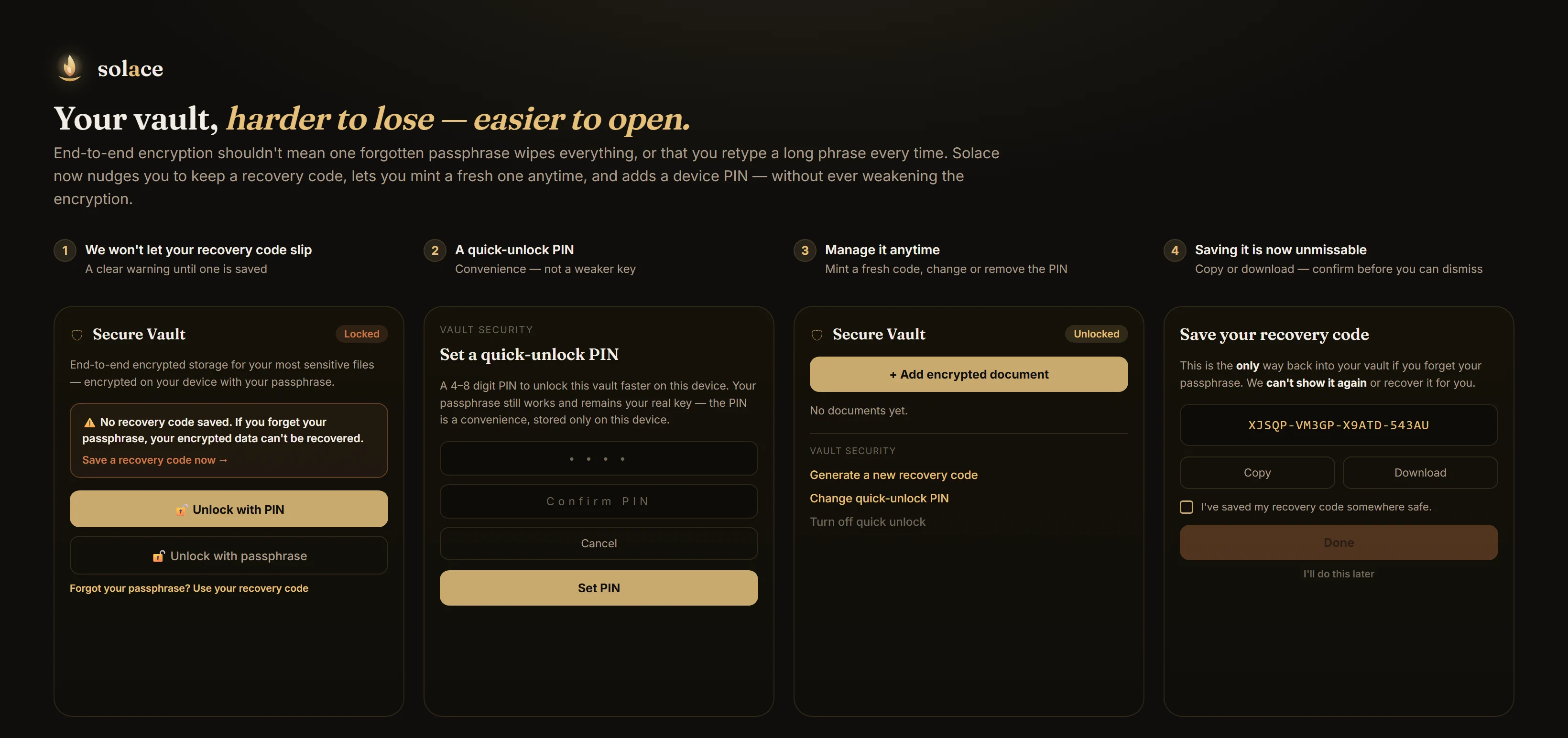
Your vault — harder to lose, easier to open. We nudge you to keep a recovery code (and let you mint a fresh one anytime), plus an optional device PIN for faster unlock — all without ever weakening the encryption.
Questions, answered
The things people ask most before they begin.